
.svg)

This guide will help you understand how to book tickets for both Seated Events and Calendar Events, depending on the event type you’re attending.
Seated Event
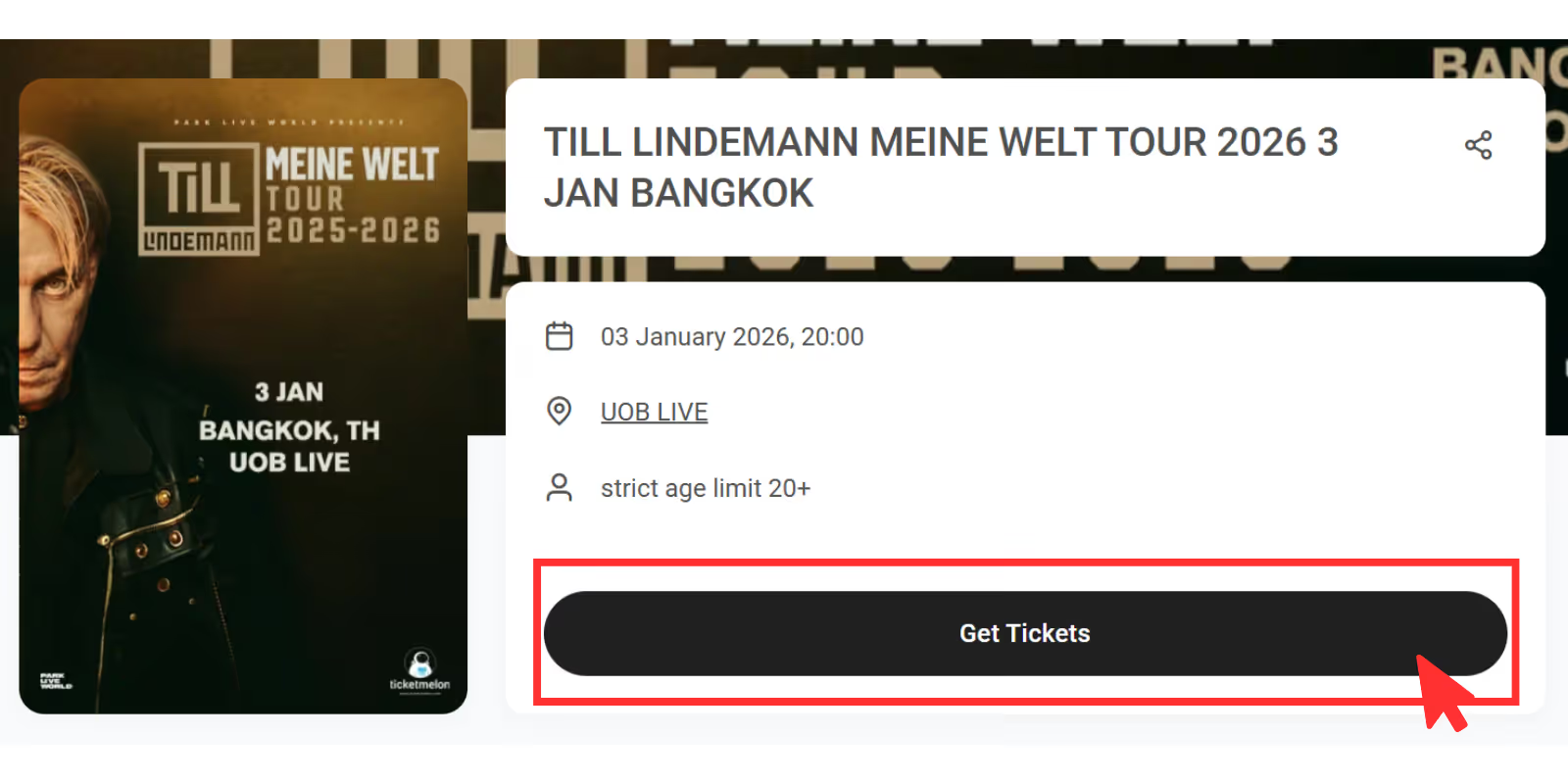
1. Go to www.ticketmelon.com and to the event page. On the event page, click ‘SELECT ZONE’.
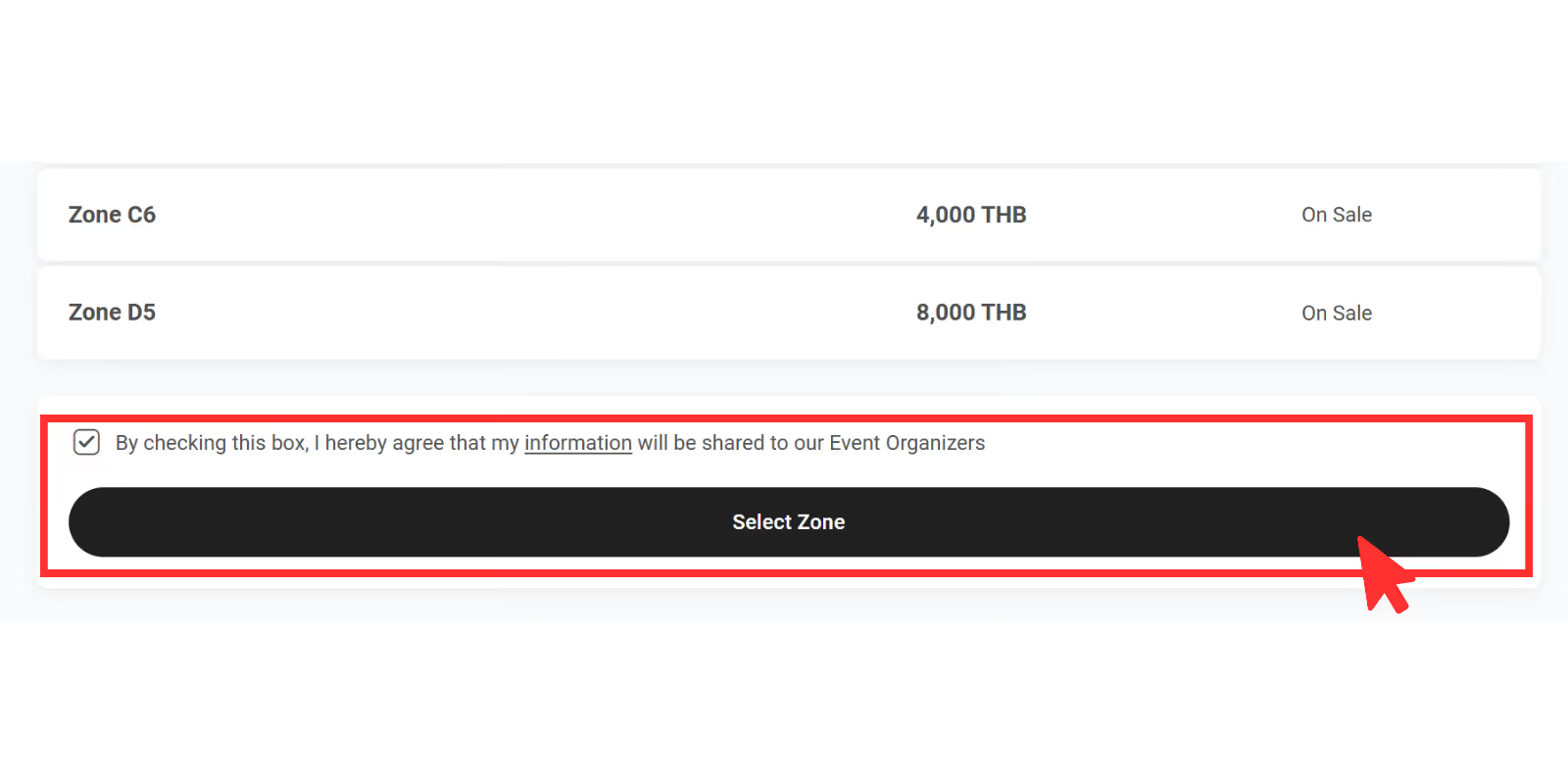
2. Agree to allow the event organizer to access your information, then click the “Select Zone” button.
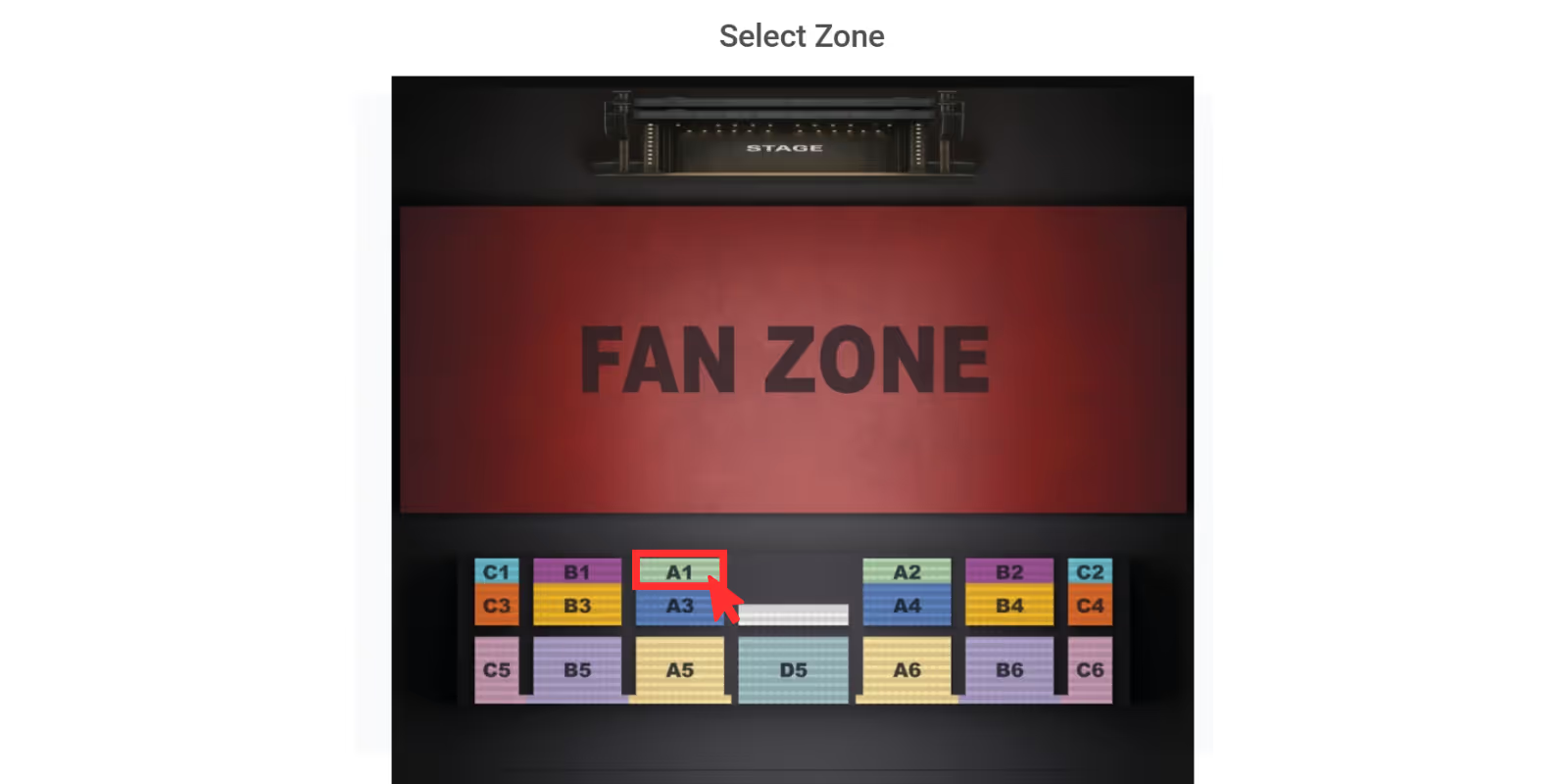
3. The system will display a box showing the available zones. Please select the zone you wish to purchase.
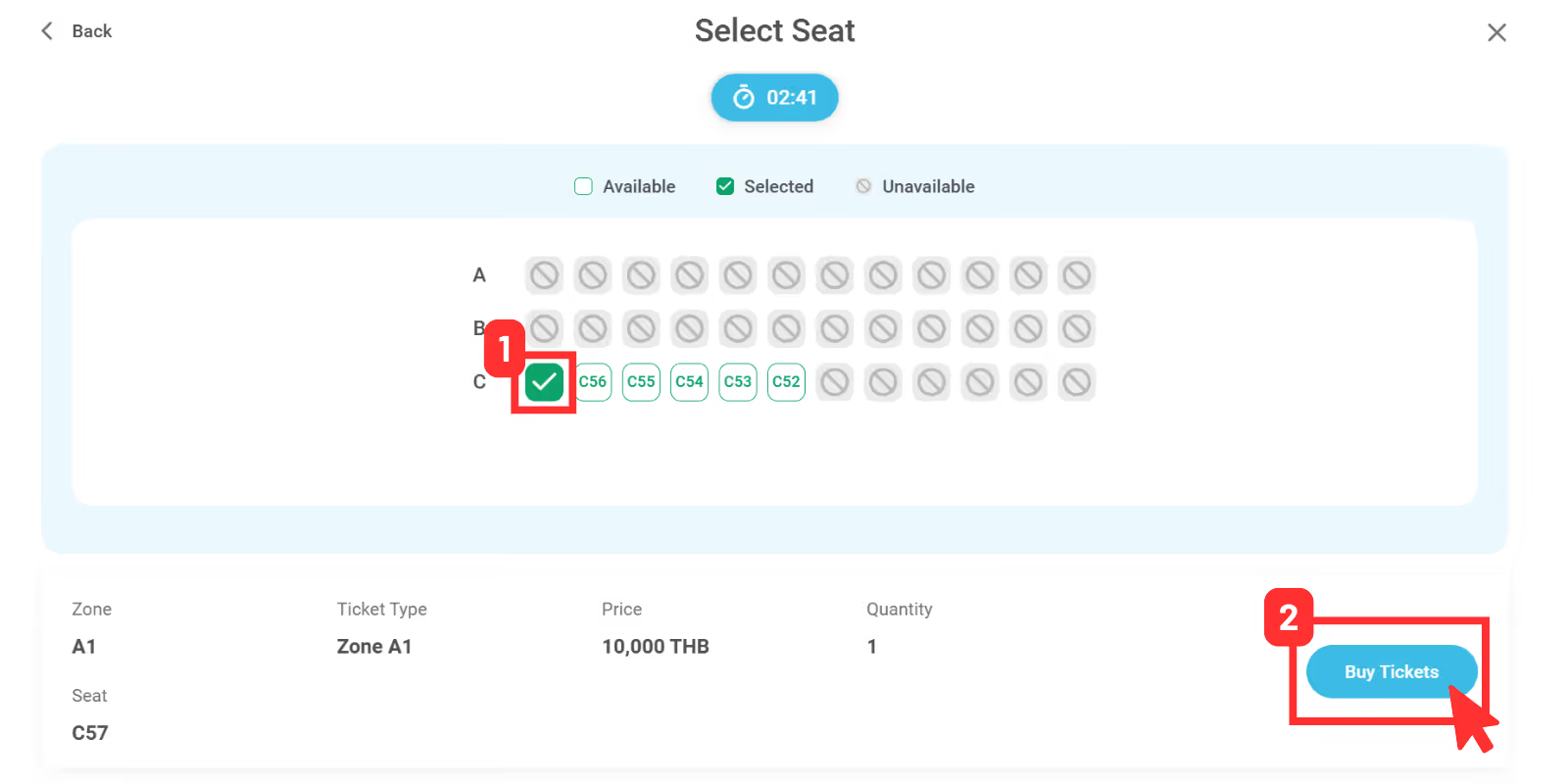
4. Select your desired seat within the given time limit, then click “Buy Tickets.”
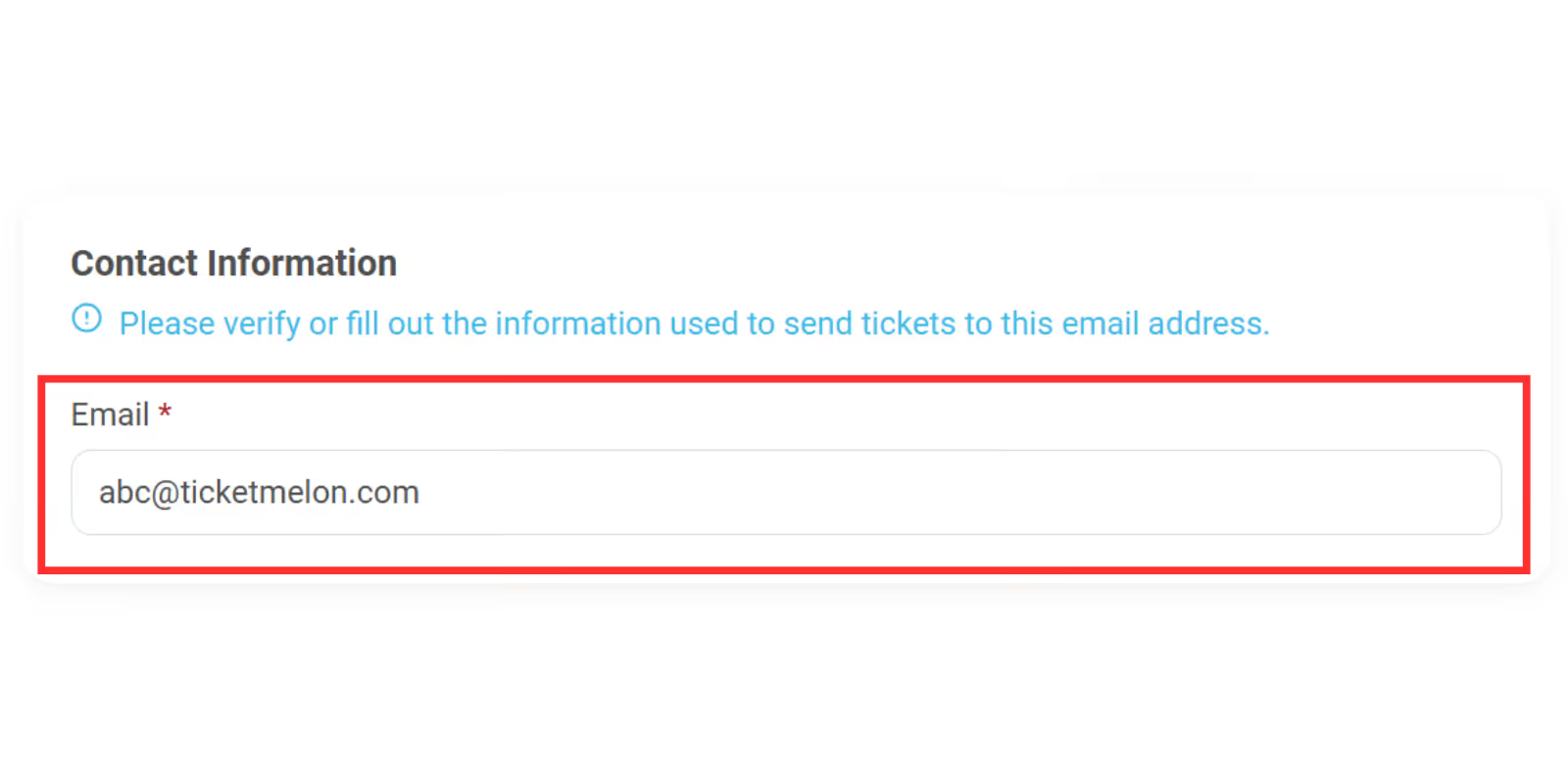
5. Enter the email address you would like to use for contact and ticket delivery information.
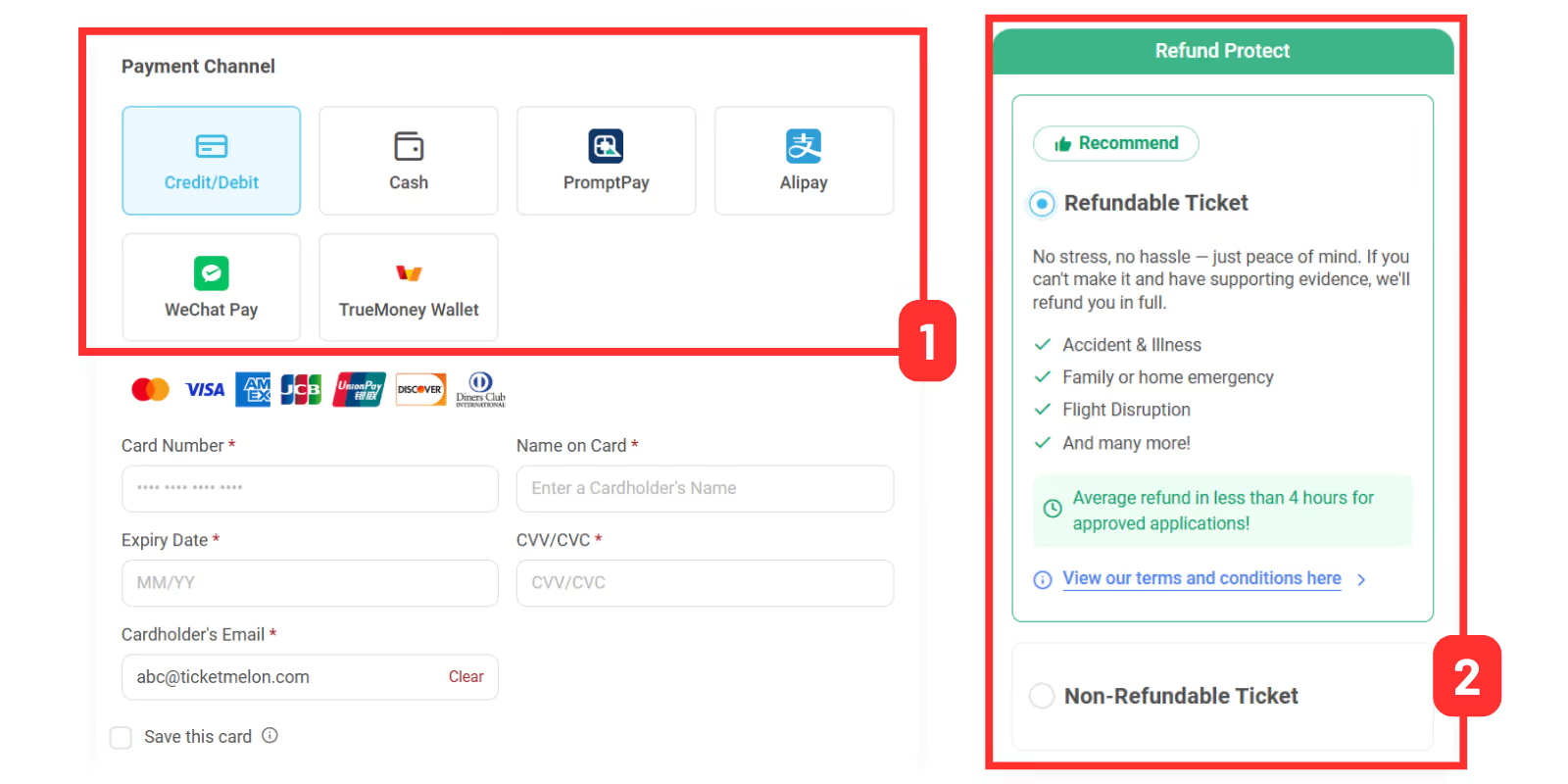
6. Select your preferred payment method, and choose whether you would like to add Refund Protect.
Note: If you select a Refundable Ticket, you will not be able to cancel your order once the payment has been successfully completed.
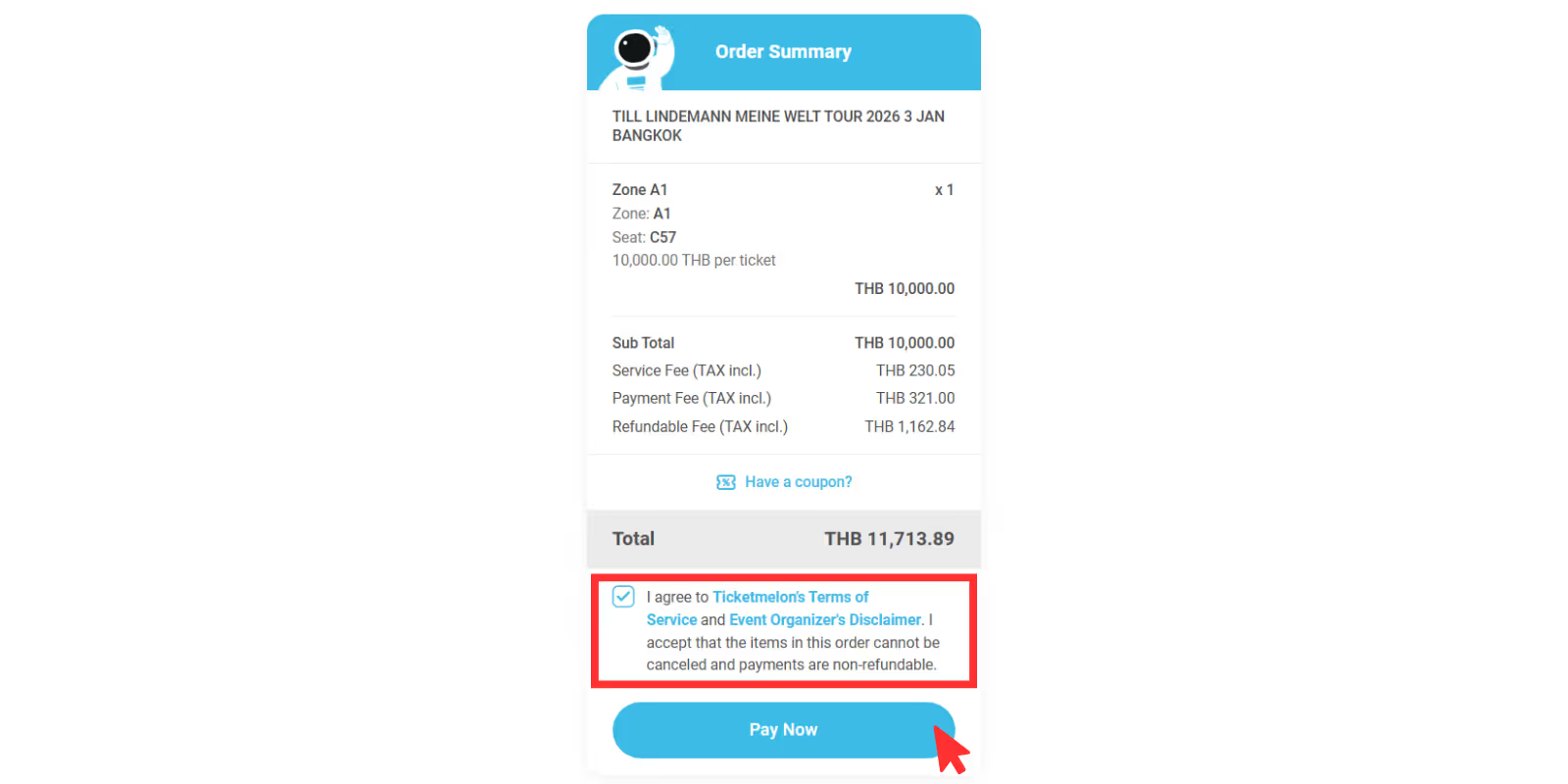
7. Review the total amount to be paid. Then, click “I agree to Ticketmelon’s Terms & Conditions and the Event Organizer’s Terms & Conditions”, and press “Pay Now” to confirm your ticket purchase.
8. This is an example of the ticket you will receive via email.
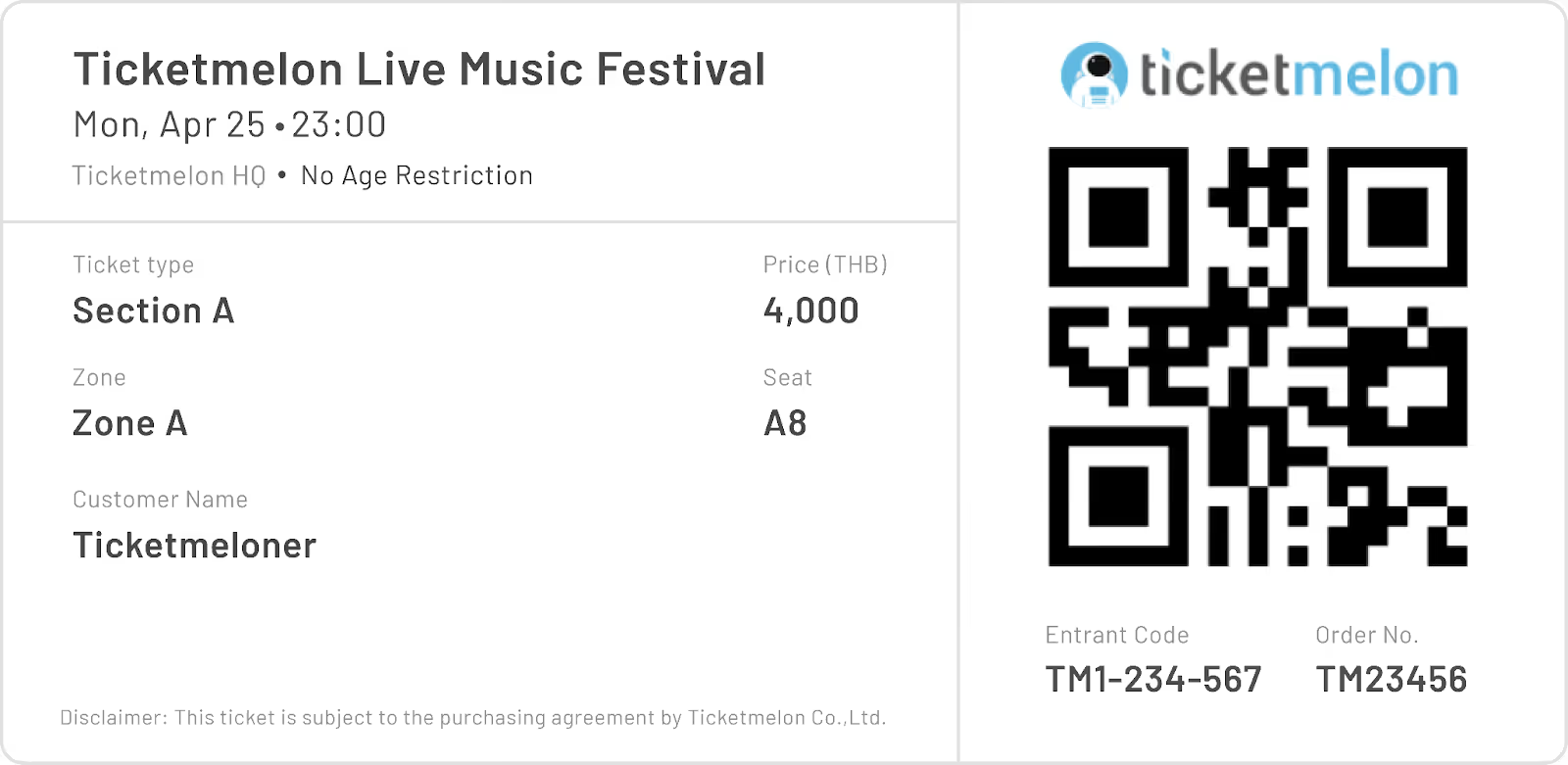
Important Notice: The QR code you receive serves as your event admission ticket. Please keep it secure and do not share it with others, as anyone with access to the QR code image can use it to enter the event. You can present your QR code either printed or displayed on your mobile device to gain entry on the specified event date and time.
Calendar Event
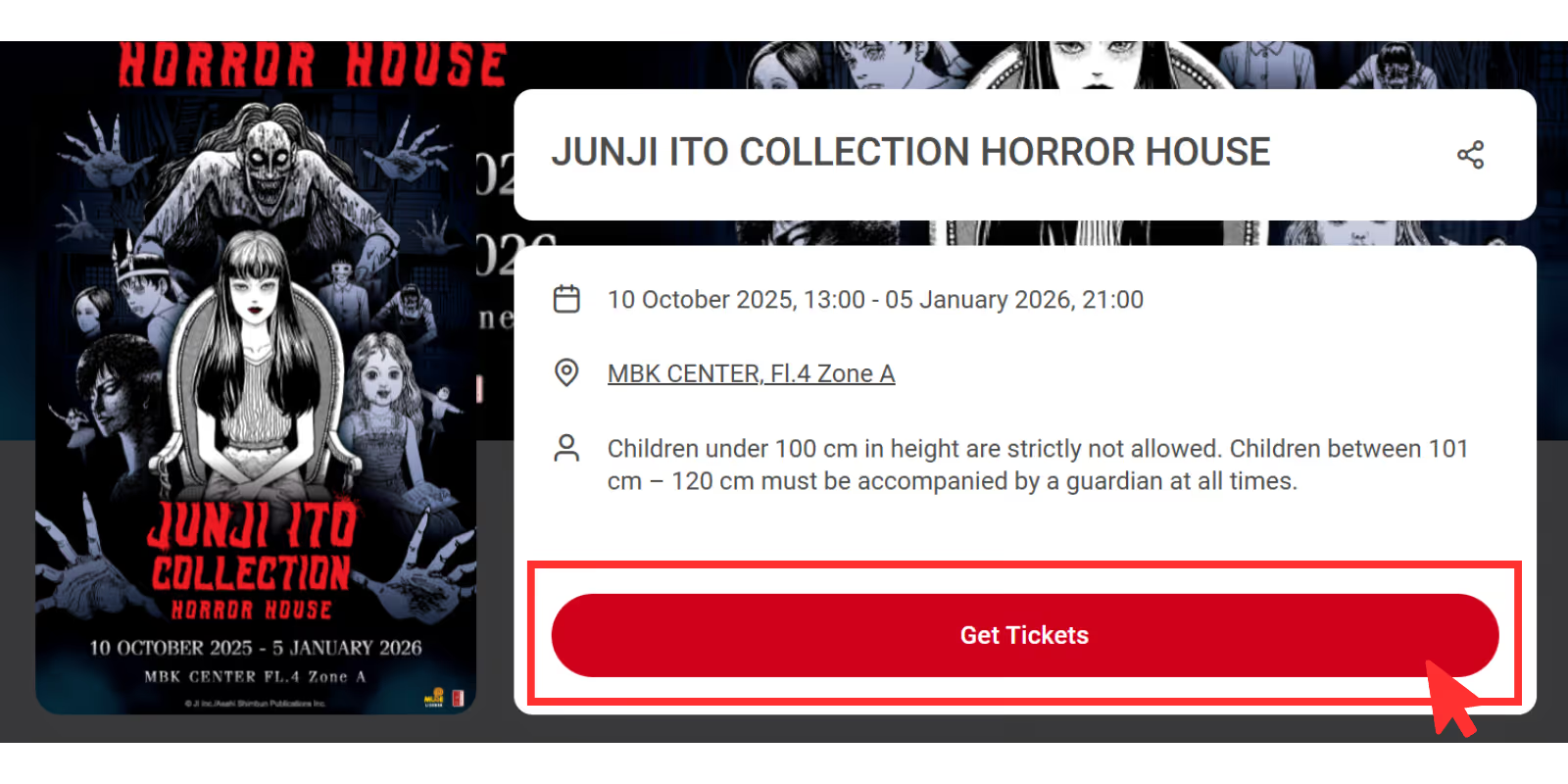
1. Go to www.ticketmelon.com and log in. Then, navigate to the event page and click the “Get Tickets” button.
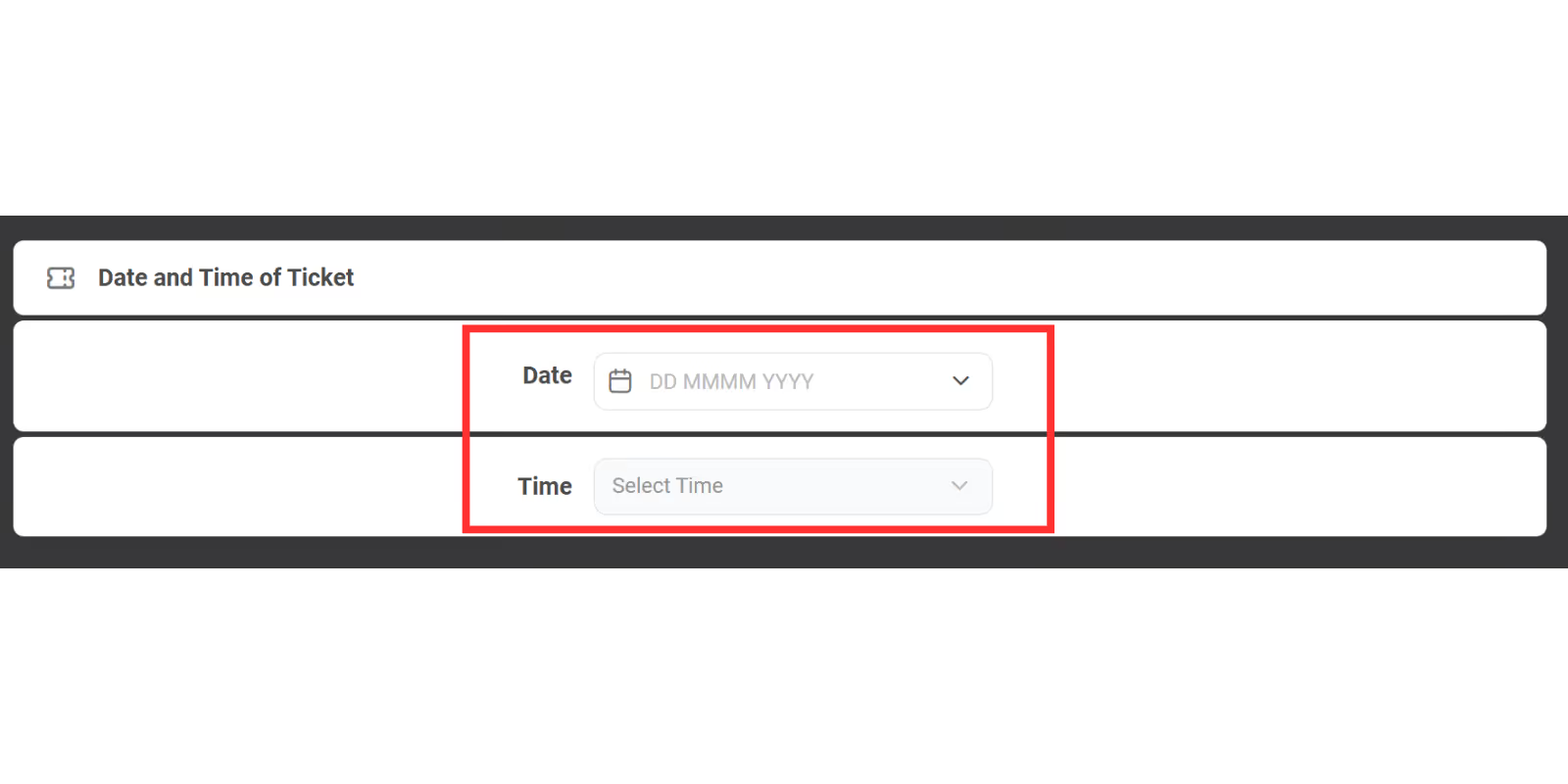
2. Select the date and time you prefer.
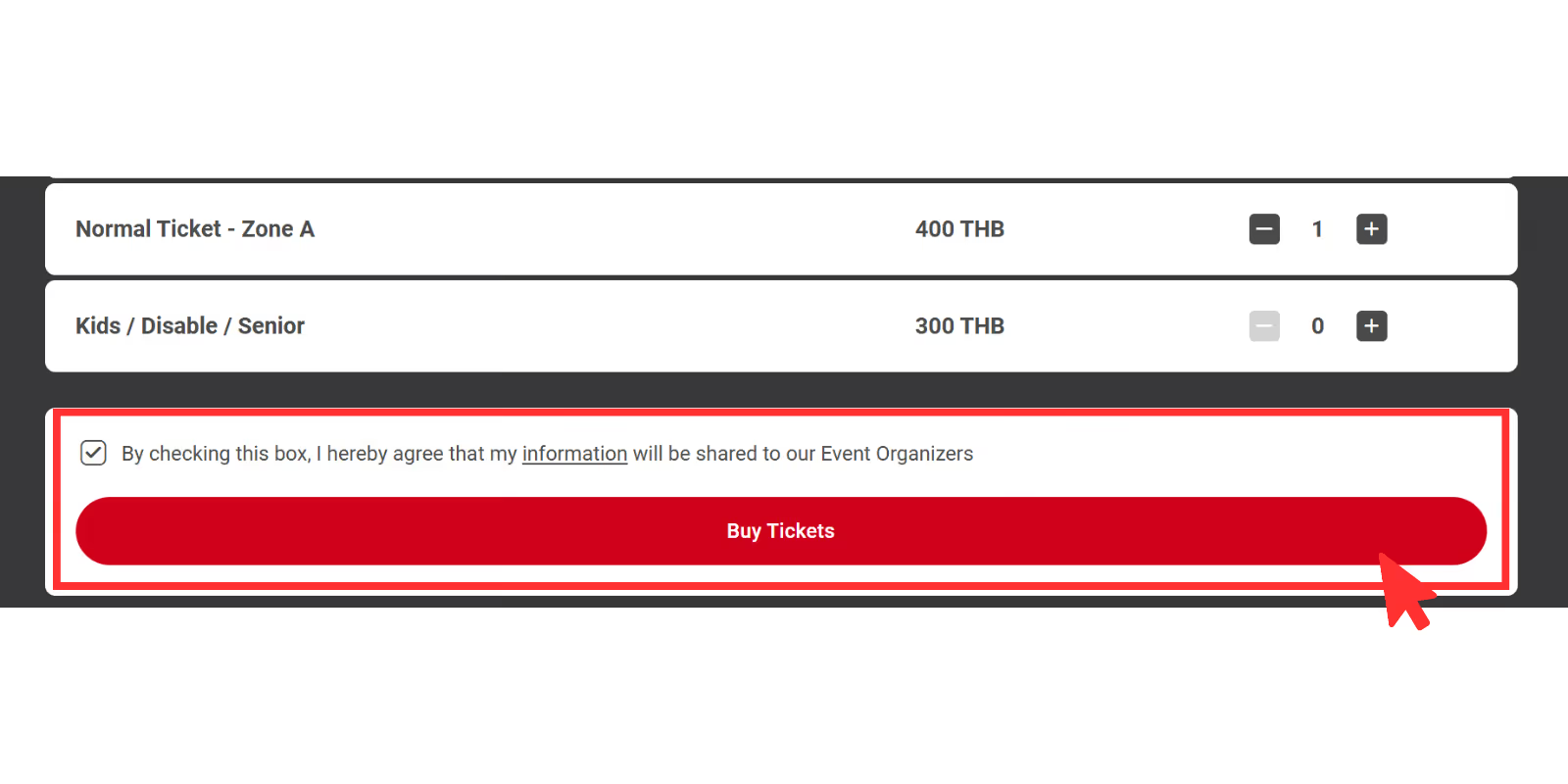
3. Select the number of tickets you wish to purchase and agree to allow the event organizer to access your information. Then, click the “Buy Tickets” button.
4. Enter the email address you would like to use for contact and ticket delivery information.
5. Select your preferred payment method, and choose whether you would like to add Refund Protect.
Note: If you select a Refundable Ticket, you will not be able to cancel your order once the payment has been successfully completed.
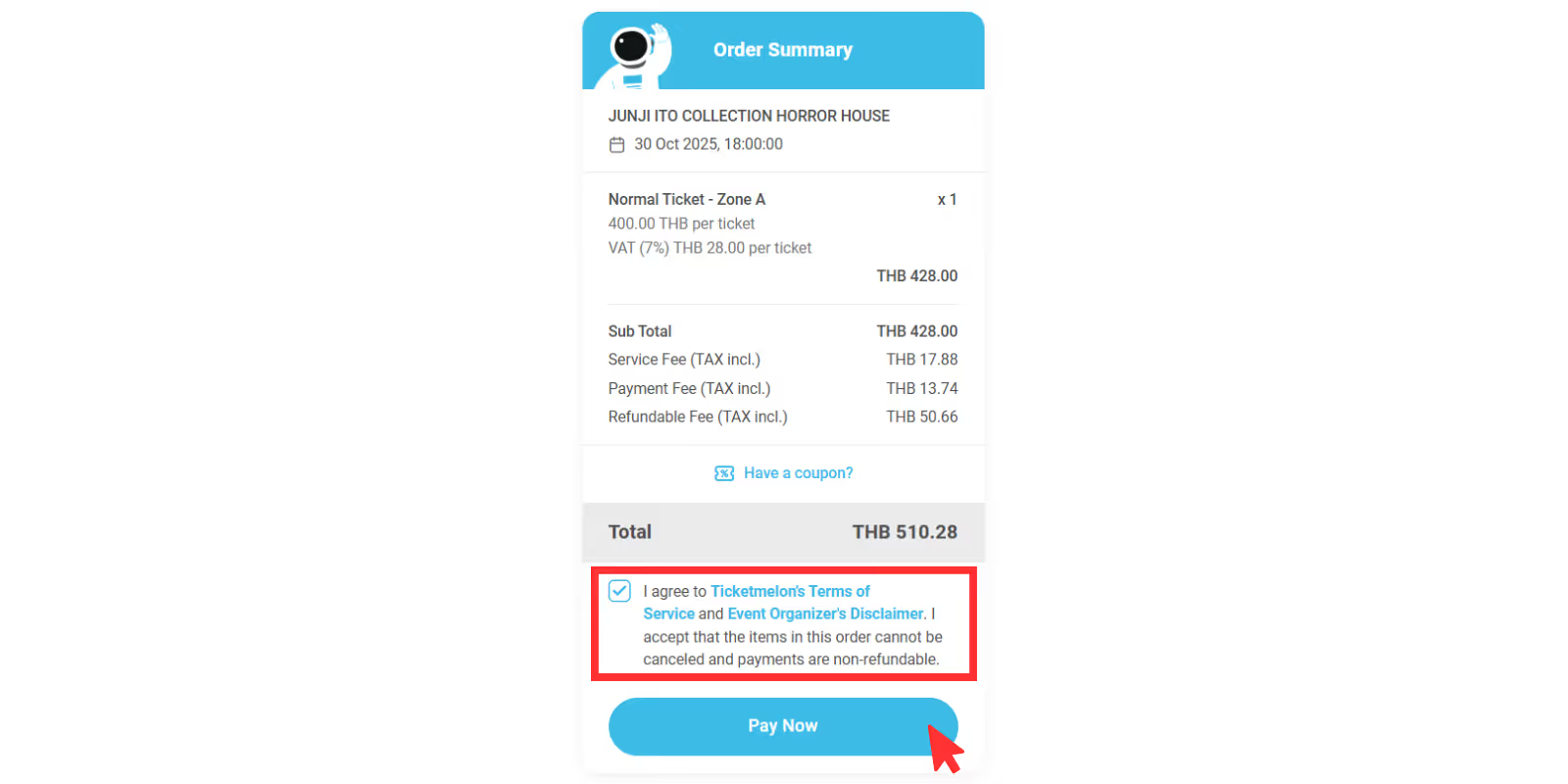
6. Review the total amount to be paid. Then, click “I agree to Ticketmelon’s Terms & Conditions and the Event Organizer’s Terms & Conditions”, and press “Pay Now” to confirm your ticket purchase.
7. This is an example of the ticket you will receive via email.
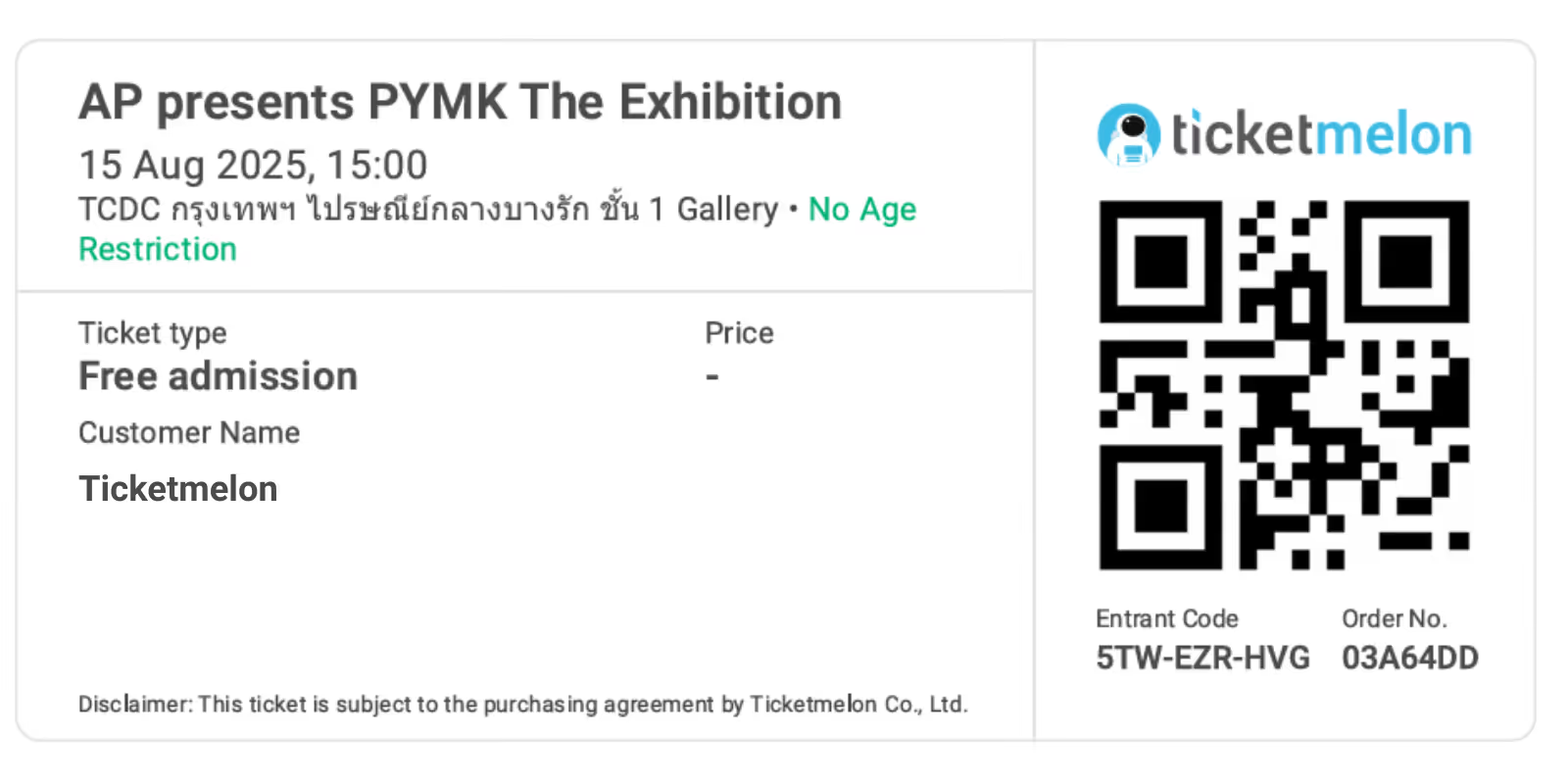
Important Notice: The QR code you receive serves as your event admission ticket. Please keep it secure and do not share it with others, as anyone with access to the QR code image can use it to enter the event. You can present your QR code either printed or displayed on your mobile device to gain entry on the specified event date and time.
