
.svg)

How can I request a tax invoice for my order?
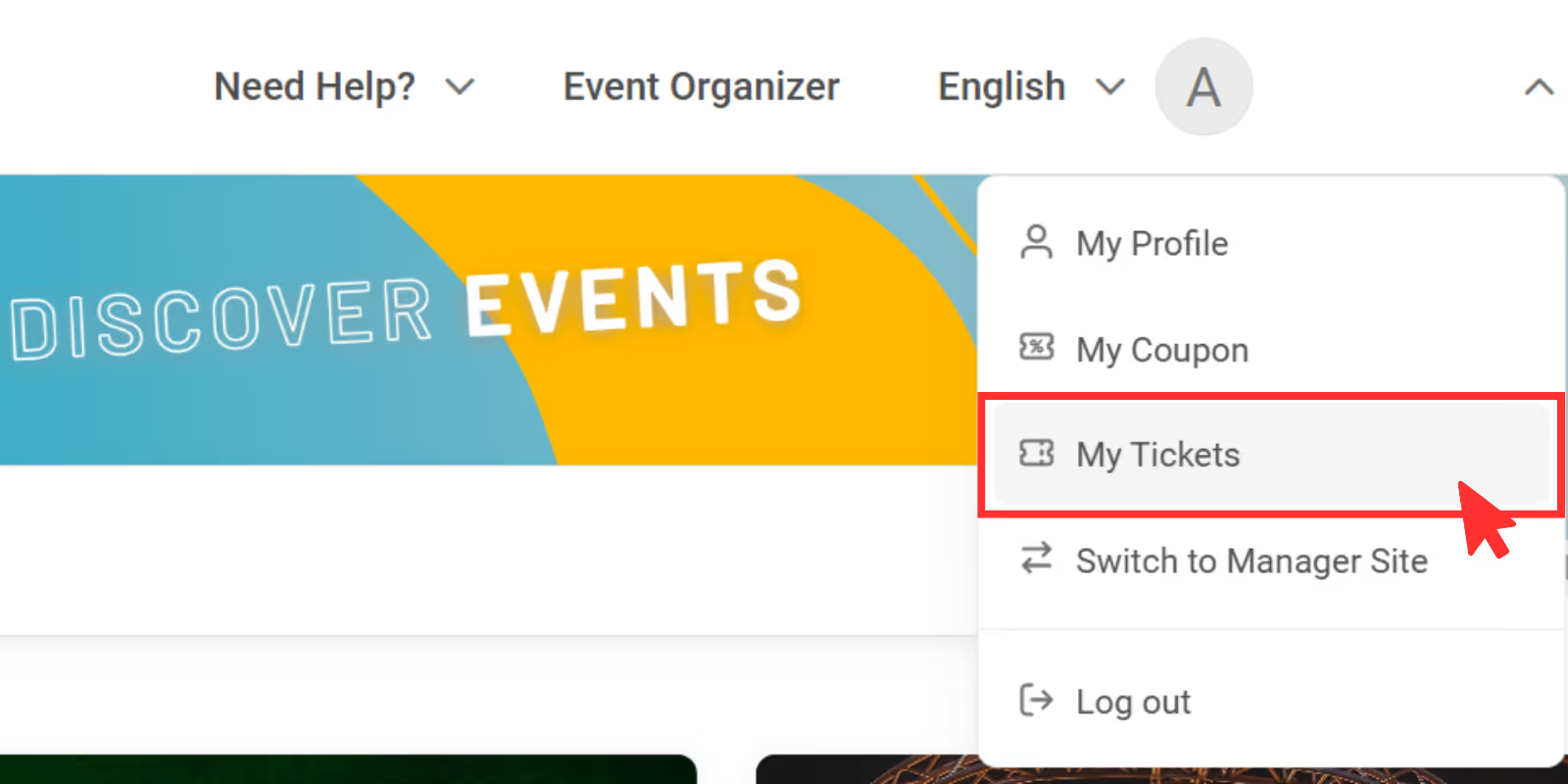
1. Go to www.ticketmelon.com and sign in to your Ticketmelon account. Go to the “My Tickets” page where you will see your purchase history
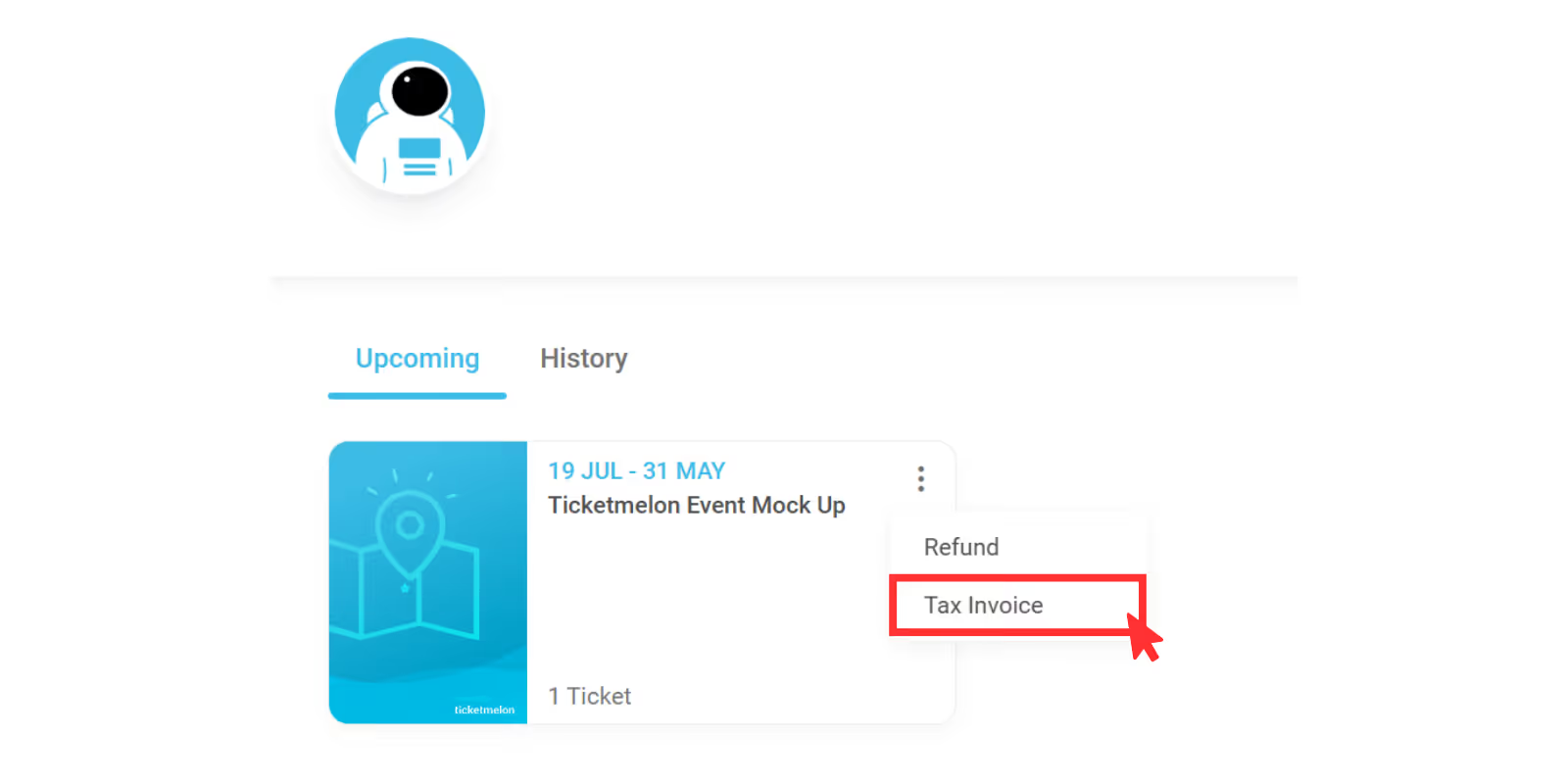
2. Click on the top right of the poster that you want to request a tax invoice, click “Tax Invoice”.
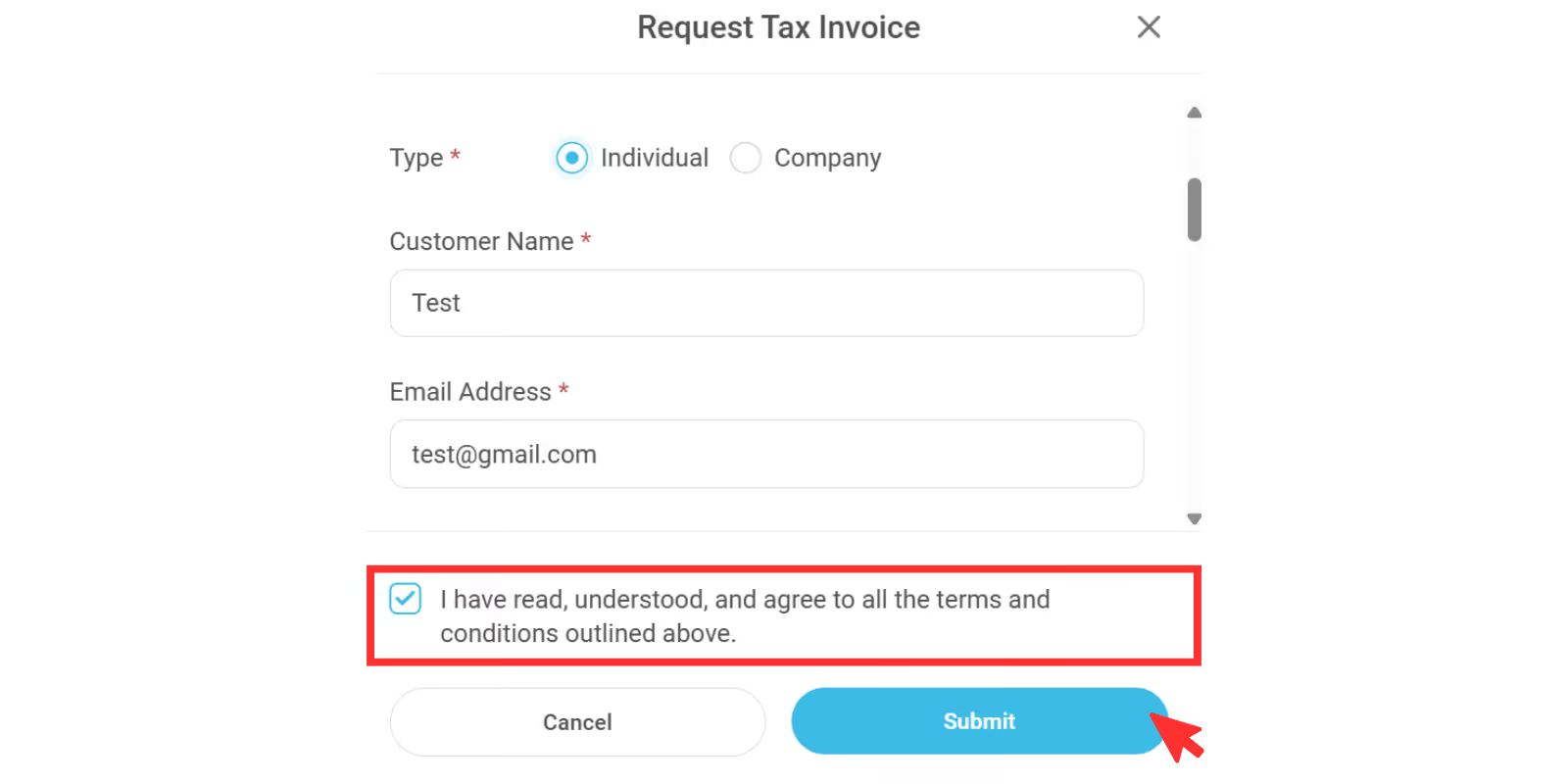
3. Fill in all the required information and click “Submit” to submit your request.
Note: The processing time and other conditions may vary depending on the event organizer’s policy.
